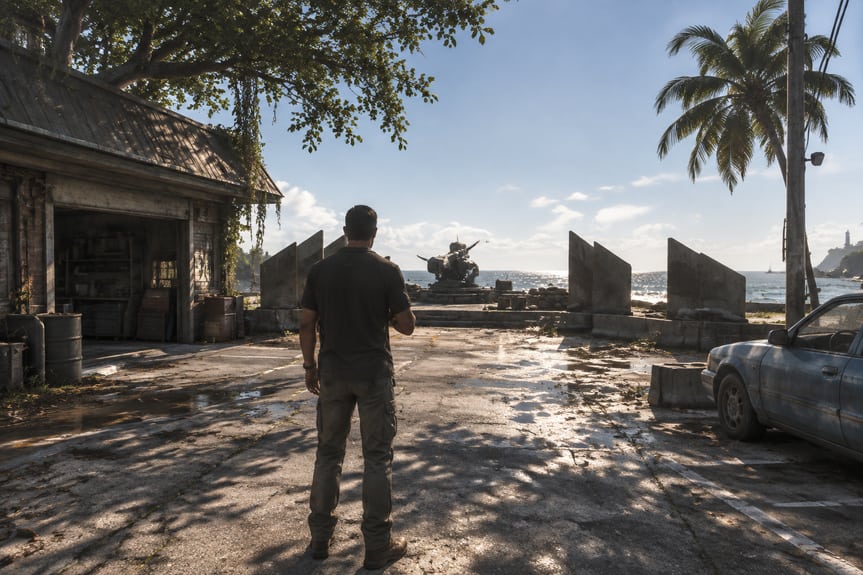
WAiNK scans are part of GTA 6’s exploration and 100% completion checklist. Players can use the phone’s WAiNK app to record landmarks, unusual objects, and other points of interest across Leonida. GTA VI Money is a separate progression topic, while WAiNK scanning focuses on discovering and recording locations throughout the map.
How to Complete a WAiNK Scan
When you approach a scannable location, your controller vibrates and an audio cue signals that a target is nearby.
Follow these steps to record it:
- Get out of your vehicle and approach the target.
- Hold Up on the D-pad to open your phone.
- Select the WAiNK app.
- Point the phone camera at the object.
- Adjust your position until the WAiNK starburst icon appears over the target.
- Hold R1 on PlayStation or RB on Xbox to complete the scan.
- Open the Progress menu to check your collection.
If the scan does not register, reposition yourself and aim directly at the highlighted object.
WAiNK Collection Categories
The WAiNK Locations collection contains five groups. You need 100 location scans for the completion requirement, and scans from different groups contribute to the same total.
| Collection | Total Locations |
|---|---|
| Landmarks | 31 |
| Curiosities | 35 |
| Sculptures | 23 |
| Peewees Billboards | 4 |
| No Flusher Tags | Separate collection |
| Required WAiNK scans | 100 |
You do not need to finish every category individually. Collect scans across the available groups until the total reaches 100.
Landmark Locations Across Leonida
Landmarks are spread across Vice City and the surrounding regions. Use this list to plan your exploration route and avoid revisiting locations unnecessarily.
| Landmark | Region |
|---|---|
| Old Goliath | Ambrosia, Kelly County |
| Vice City Sign | Three Toe Lake area |
| Bobcat Key Experimental Home | Bobcat Key |
| Lawton Co. Paper Mill | Moreau |
| Farmer Scrumpy’s Apple Orchard | Manifest Canyon |
| IAA’s Friends of Freedom | Downtown Vice City |
| Thicc Herbie | Abismo Key |
| Riquezas Keys Radome | Riquezas Keys |
| Gellhorn Fun Fair | Port Gellhorn |
| Downtown Periscope | Downtown Vice City |
| St. Lucia Lighthouse | Little Hardin Island |
| Sky Ride | Emerald Springs |
| Pelican Valley Observation Tower | Grassrivers |
| Belpoint Lighthouse | Belpoint |
| Kalaga Lookout | Mount Kalaga National Park |
| Dock Ring | Downtown Vice City |
| Grayson Assembly | Grayson |
| Wild Hog Point Radar Base | Wild Hog Point |
| Howe Dairy Farm’s Big Udder | Emerald Springs |
| Badger R&D Tower | Key Lento |
| Aqua Stadium | Gloriana Key |
| Tucker’s Citrus Farms Water Tower | Emerald Springs |
| Sahara Arena | Downtown Vice City |
| Fleeca Field | Rock Rudge |
| Tallaloko Amphitheater | Lake Tallaloko |
| Courtland Park Stadium | Catalan Key |
Track Missing Scans and Avoid Duplicate Collectibles
Open Progress > Collections > WAiNK Locations to check your recorded scans. Each category has its own entries, making it easier to identify missing locations before moving to another area.
Keep these collection types separate:
- WAiNK Locations: Counts toward the 100-scan completion requirement.
- AHOL Street Art: Tracked separately from WAiNK Locations.
- 1010 Murals: A separate mural collection.
- Vehicle scans: Vehicle inspections do not replace WAiNK location scans.
Scanning wildlife and points of interest across Leonida makes steady progress toward completing your collection. GTA 6 Boosting can complement your broader game progression, while the Collections menu helps you identify missing targets, review completed entries, and plan your next exploration route.
GTA 6 WAiNK Scan FAQ
How many WAiNK scans are required for 100% completion?
You need 100 WAiNK Location scans.
Do all 31 landmarks need to be scanned?
No. Scans from different WAiNK categories contribute to the same 100-scan total.
How do you activate the WAiNK scanner?
Open the phone by holding Up on the D-pad, select WAiNK, aim at the target, and hold R1 on PlayStation or RB on Xbox when the scan icon appears.
Do AHOL Street Art and 1010 Murals count toward WAiNK scans?
No. Both are tracked separately and do not contribute to the 100 WAiNK Location scans.
Where can you see your remaining WAiNK locations?
Open Progress, select Collections, and choose WAiNK Locations to review your collected entries.