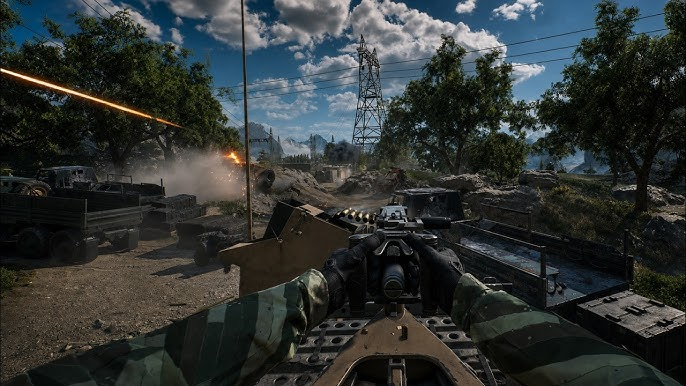
Modern Warfare 4 Combat Outpost is a large-scale 24v24 multiplayer mode built around territory control and frontline progression. Instead of focusing only on eliminations, teams must capture strategic areas, turn them into forward spawn points, defend those positions, and use accumulated resources to strengthen their push.
Battlegrounds such as Imjin Farmlands and Wolves Stadium give the mode plenty of room for infantry fights, vehicle battles, and long-range engagements. The large player count also makes every captured position important. A strong attack can move the frontline forward, while poor defensive coordination can quickly give that ground back to the opposing team.
What Is Combat Outpost in MW4
Combat Outpost is an objective-based mode where controlling territory determines how a match develops. Players fight over active outposts rather than simply chasing kills across the map.
When an outpost becomes contested, your team needs to clear enemy players from the area and remain inside the objective zone to capture it. Once secured, the position becomes a friendly spawn point. This allows teammates to deploy closer to the action and creates a new launch point for the next attack.
That makes every capture part of a larger cycle:
Capture an outpost → establish a forward spawn → defend the position → build resources → use support → push toward the next outpost.
Understanding this cycle is more important than simply winning individual gunfights.
How to Capture and Defend an Outpost
Capturing an outpost requires control of the objective area. Enemy players inside the zone can prevent progress, so an effective assault needs enough pressure to clear the area before the capture can be completed.
Once the position is yours, the priority changes. Rather than immediately sending everyone toward the next objective, keep enough players around the captured area to stop an enemy counterattack.
A simple squad setup can work well:
- Objective players: Stay close to the capture zone and protect the position.
- Assault players: Move toward nearby enemy positions and create openings.
- Support players: Help teammates stay supplied and maintain pressure.
- Recon players: Watch surrounding routes and provide information.
- Vehicle players: Control open areas and important approaches.
This approach keeps the team from becoming too spread out while still allowing pressure toward the next objective.
Use Outposts to Move the Frontline
The forward spawn system is one of the most important parts of Combat Outpost. A captured outpost reduces the distance between your team and the next contested area, allowing reinforcements to arrive much faster.
This creates a frontline that can gradually move across the map. Capturing one position can make the next attack easier, while losing a previously secured outpost can force your team to fight through the same ground again.
Because of this, an outpost should not be viewed as a temporary objective. It is also a strategic foothold.
When deciding whether to push forward, consider how secure your current spawn point is. If the previous outpost is already under heavy pressure, sending the entire team ahead can leave your frontline exposed.
Build Resources and Unlock Battlefield Support
Combat Outpost adds another layer to the capture system through its resource economy. Maintaining controlled territory allows teams to build toward stronger battlefield support.
Depending on the resources available during the match, teams can access support options such as:
- Local UAV coverage to improve awareness around the battlefield
- JLTV airdrops to provide additional mobility and combat support
- Light tanks for stronger pressure against defended positions
The timing of these tools matters. Support is most useful when it solves a specific battlefield problem.
A UAV can help reveal enemy activity before a major push. A JLTV can help move players across a large section of the map. A light tank can create pressure against defensive positions and force opponents to react.
Using these tools around an important capture attempt can give your team more value than spending them during an isolated firefight.
Vehicle Strategy for Combat Outpost
Vehicles become particularly important on large Combat Outpost maps because infantry cannot cover every route quickly. Armored vehicles can help squads move between objectives and establish pressure around open terrain.
A vehicle should still work with the infantry around it. A light tank can draw attention and suppress enemy positions, while infantry players can take advantage of the space it creates. Likewise, players inside or around a JLTV can help maintain mobility when the frontline shifts.
Pay attention to where vehicles are being used rather than simply looking for opportunities to drive around the map. Controlling a major road, open approach, or objective entrance can directly influence the outcome of a capture attempt.
Best Combat Outpost Tips
Combat Outpost rewards players who think about the entire battlefield instead of focusing on one engagement.
Protect useful spawn points.
A captured outpost gives your team a valuable forward position. Keeping it secure can be more important than gaining a few extra eliminations.
Attack with a purpose.
Push when your squad has enough players and support to challenge the objective. Random attacks can leave your team without enough pressure to complete the capture.
Watch multiple approaches.
Large maps give opponents several ways to reach an outpost. Keep an eye on roads, buildings, open terrain, and vehicle routes.
Use support around key moments.
UAVs, JLTVs, and tanks have greater value when they help capture or hold important territory.
Stay flexible.
A strong push can quickly turn into a defensive situation. Be ready to return to a threatened outpost when the enemy begins a counterattack.
Play around the frontline.
The most useful question is not only where the enemy is, but which position your team needs to control next.
Practice Movement and Loadouts for Large Battles
The scale of Combat Outpost makes it useful to practice more than basic shooting. Players need to become comfortable with longer rotations, changing engagement distances, vehicle interactions, and fighting around large objectives.
MW4 Bot Lobbies can be useful for practicing these fundamentals in a controlled setup. For example, you can spend time testing recoil at different ranges, learning how quickly a weapon handles target transitions, or practicing movement between objectives without constantly changing your loadout.
Players who want dedicated practice options can also buy Bot Lobbies MW4 to spend more time working on specific mechanics. The most productive approach is to enter with a clear goal, such as improving aim, testing an attachment setup, or becoming more comfortable with large-map movement.
How to Access Combat Outpost in MW4
Combat Outpost can be accessed through the multiplayer menu. Check the Quick Play featured section, where the mode can be highlighted for easy access.
Players who want matchmaking focused specifically on Combat Outpost can use the mode filter. Select Combat Outpost and disable the other available modes. Matchmaking will then focus on finding a lobby for the selected mode.
This is particularly useful when you want to learn the mode’s objective flow without rotating into unrelated multiplayer playlists.
A Better Way to Play Combat Outpost
Winning in Combat Outpost comes down to controlling the relationship between territory, spawns, resources, and pressure. Capturing an objective gives your team a forward position, defending it keeps that advantage intact, and effective battlefield support can turn that foothold into another successful push.
The 24v24 format also means individual decisions can affect a much larger battle. A squad that protects a valuable outpost, watches enemy approaches, and coordinates support can create opportunities for the rest of the team.
Once you start treating every capture as part of the wider frontline rather than an isolated objective, Modern Warfare 4 Combat Outpost becomes much easier to understand and play effectively.